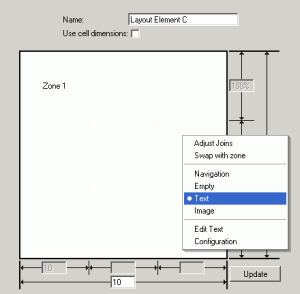
Layout zones can be set to Text, by right-clicking in the zone and selecting Text from the context menu. Once the zone is set to be Text, the normal Text Editor can be invoked by selecting 'Edit Text'. Selecting 'Configuration' provides access to the Behavior Editor controls applicable to the zone. The Power of Embedding
It is important to remember that the Text Zone of a Layout Element can have embedded on it anything that can be embedded on a regular Page - text, images, Widgets, Queries and Views. | 


