The system is installed on one machine (the server) and then is accessed with a web browser, normally from other machines (clients) on your local network or across the Internet. After the initial installation all other management and configuration is done using a web browser.
 Using the Cloud trial?
When you are using the free Cloud Trial your site has already been created for you so you can skip ahead to the 'What have I got?' section in this Tutorial.
We still recommend reading through the beginning section of 'A First Site' so that you understand the context you are working in, but the instructions on this page are only needed by users doing a trial install onto their own server.
Cloud trial Site access
This page explains how to access your Cloud Trial site...
Cloud trial limitations
Naturally there are a few limitations on the free Cloud trial. There is a Bandwidth Limit and you don't have access to the Server Manager so, for example, you can't access charging-plans and template site creation. Emails are redirected to the site owner - that's you.
None of these limits will affect your trial usage and, of course, they do not apply to full licenses.
Site Export
When you come to the end of your Cloud trial you can export the website or application you have made. You can then import it into your own Installation using either a Free or Premium license.
Read how to Export and Import sites...
You can use Chrome, Internet Explorer, Safari or Firefox to manage the system and build sites. The system is designed to feel and work like local software installed on your own machine, but its all done with an ordinary web browser.
All configuration is done using a web interface - there is no 'console', IDE, program GUI or other direct graphical interface. The web interface that the system uses has been custom designed to give you the 'feel' of studio-tools, but whether you are working alone on the server itself, or as part of a team spaced around the world you are always using a web interface to configure components.
In Production
In the 'real world' you would not work on a website from the server machine itself - once it is installed on the server you would treat that machine as a dedicated appliance. So, the system is installed on its own machine - either in your office or at a regular hosting company and you access it across the Internet using your browser from your usual computer (setting up access - read how...).
Every site you create and all other manipulations will be done using your web-browser to access the Site Manager.
For Testing
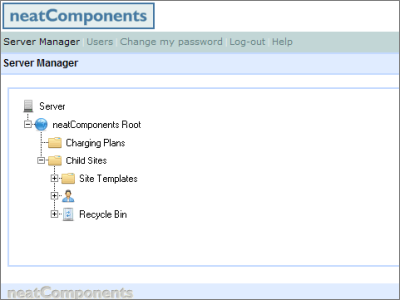
But, for very small scale use, and for testing - so you can get started with the site manipulation - you can make an exception, and work on the server itself. So, on the machine you actually installed onto, return to the Server Manager.
If you have closed the Server Manager, you can return to it by browsing to http://local.neatcomponents.com in your browser: you will need to log in again using the email address and password that you created during the install process.
 When an ordinary visitor sees a website created and hosted in the system they are not aware of any differences from a regular website.
When you are logged in to the site with edit permission you will see a small 'toolbox' gear-icon  floating in the bottom-left corner of the window. The toolbox confirms that you are logged in, and gives you access to the website design tools. As a site designer, you have total control over the site including page content, navigation and site layout - as well as embedded components.
Example site
The system ships with a ready to use example site-template for use with this tutorial. The next step is to create an example site to work with.
 Let's create the example site...