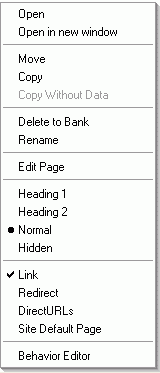
In the Layout Manager, right-click on the page in the website tree.
Choose 'Redirect'.
The Redirect dialog appears.
You may select between 301-redirect 'Moved permanently'and 302-redirect 'Found eleswhere'.
Select the destination, and click OK.
Created: 17 April 2024 20:26:26
Version: 1.8.5045
Ref: 4345 p
Build Time (ms): 500
 In the Layout Manager, right-click on the page in the website tree.


