Components Reference > Calendar View 
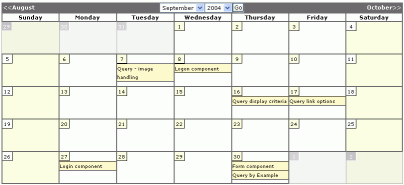 
The Calendar View component allows the display of a calendar grid containing data from a Query. To set up the Calendar View, you simply select the Query containing the event data, and the fields in the query that hold the event name, and dates. The start date is always needed, whilst the finish date is optional. 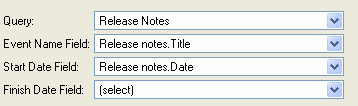
Navigate to different months The visitor can be provided with navigation links to change the view to show the Previous or the Next month: 
There is also the option of dropdown listboxes to go explicitly to a different month: 
Styling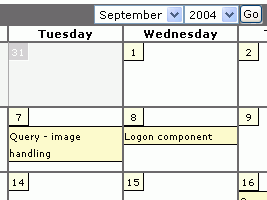 Almost every aspect of the visual appearance can be customised through the Behavior Editor's styles. The calendar has different styles to allow distinction between weekends and weekdays. It also has different styles to distinguish between days within the current month, and days outside the current month but which the current view reaches out to show. In the example above, Tuesday 31st October is shown on the September calendar. Day Labels As well as the graphical styling, the calendar view gives you control over whether the days are shown in full - Monday, Tuesday, or abbreviated: Mon, Tue, or just as initials, M, T, etc Events display Whilst a blank calendar with no events can be useful in itself, the usual purpose of a Calendar View is to display events. For example, the screenshots used on this page are taken from the Release Notes calendar, and show when new features were released or improved. Events can be clickable to take the visitor through to a more detailed view. Optional event times - Events can be shown with their start time, and end time, or just a start time, or, in this example, with no time at all.
- The time format can be set to AM/PM or the 24 hour format.
- The calendar can be set to take account of a timezone offset from GMT (Universal Time)
Default date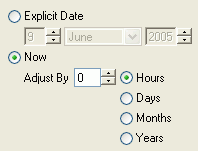 The default date controls the month that is shown when the page is first visited. Normally this is set to 'Now' - the current date, but sometimes it is desirable to have it set to 'Now minus 1 month' to show last month's calendar. These 'rolling offsets' are most useful when you want to have separate pages on the site, for different months. Another option is to specify an explicit date, so a page will always show a specific month. Note that, in common with all views, the settings (as shown below) are found in the Behavior Editor of the view component, rather than in the Behavior Editor of the page the view is embedded on (this enables different views with different settings to be embedded on the same page). 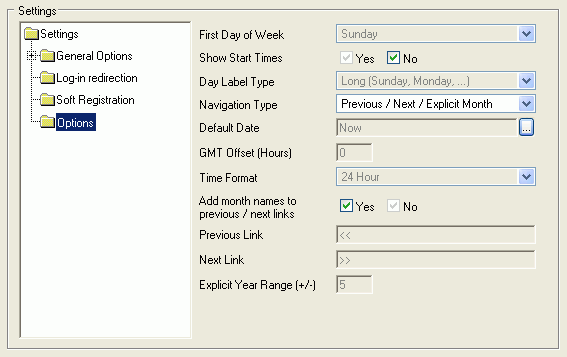
Customizing text and translations By default the Calendar View offers the standard 'Short' English abbreviations for days of the week and months of the year, as well as the 'Long' full text: For example - Sun/Sunday 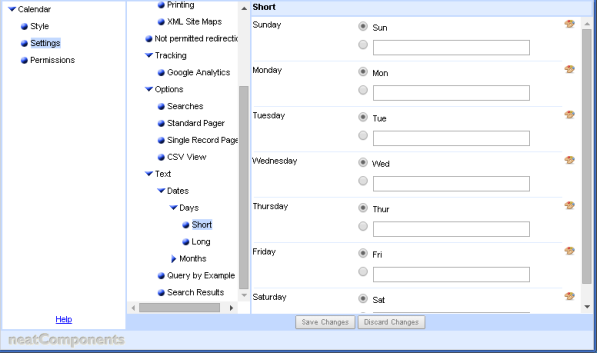
You can easily change the values used in the display by entering the text of your choice in the Behavior Editor of the Query that the Calendar View is drawn from (not in the BE of the View). Translations Translations can be treated in the same way by entering and selecting a custom value,say Sunday -> Dimanche.
Alternatively the Texts can be drawn from a Theme Table, enabling values to change depending on, say the language theme selected by the user. Read more about the Themes System here... | 


