Child Site accessYour customers' websites, and your own websites are created as Child Sites, each with their own Owner.
Setting up Child Site access
Using the Server Manager
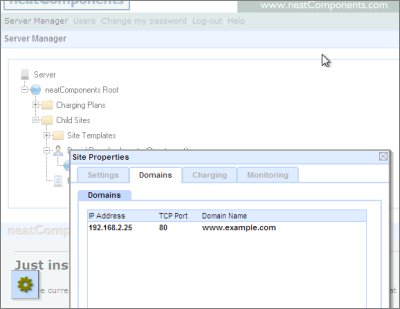
In the Server Manager-tree, Child Sites entries, use the individual site's 'Site Properties' dialog, to set the domain name, in this case www.example.com to listen on, in this NAT example, the Server Manager's local LAN IP address, or the public facing IP address of the machine. Unless you need to restrict access like this select the ANY option for IP address.
Using the site's own Layout Manager
It is possible to later change the Domain information from within the site's own Layout Manager so that changes and updates can be done on a site by site basis, without having access to the server.
Open the sites Layout Manager and select the Sites | Properties
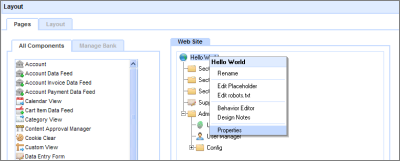
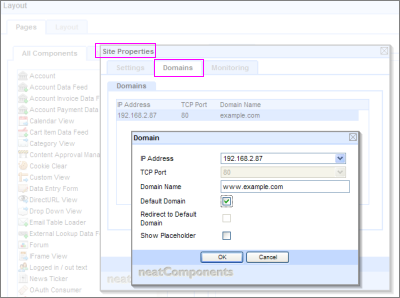
Select the Domain-tab and configure just as you would do if logged into the server direct. Unless you need to restrict access like this select the ANY option for IP address.
Configuration advice
Creating Child Sites is explained here ... | 


