 |    | |
|
|

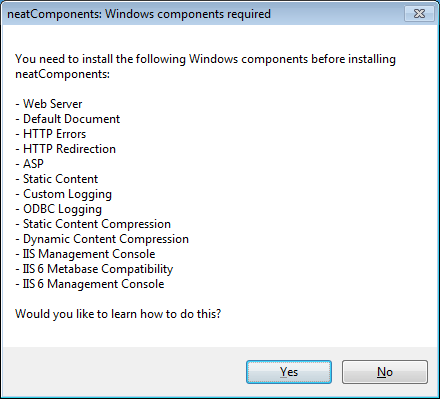
Installing - Service adjustmentsSorry, neatComponents cannot install without ... The installer will generally make the necessary adjustments automatically. If the installer does require you to take action you will see a dialog similar to this image. The dialog box and the actual list will look slightly different depending on which operating system you are using. See this typical example below. Windows 7 & 8 and Server 2008 & 2012 use different terms: Windows 7 & 8 calls these Problems? Get Installation Support here...
Using Windows XP or Windows 8 or Windows 10 You can only install onto 'Windows 8 Pro' and 'Windows 10 Pro' editions.
Making the service adjustments is easy. Simply follow the guidance below, and then run the Installer again.
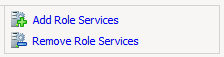
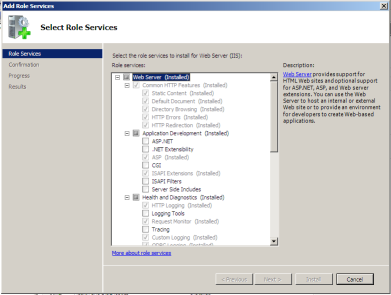
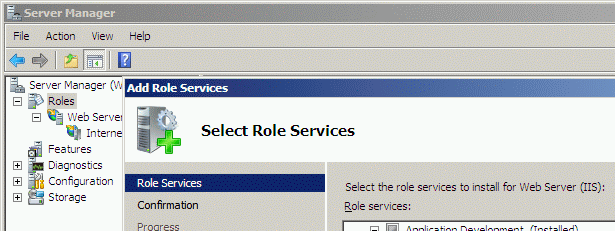
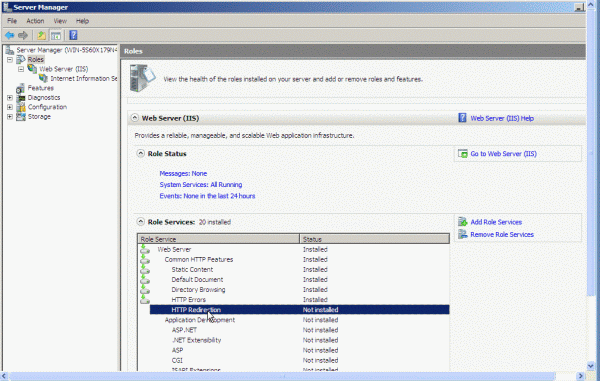
Open the Server Manager and add in the missing 'Role Services' for Web Server (IIS).
... and then run the neatComponents installer again.
Windows 2012R2
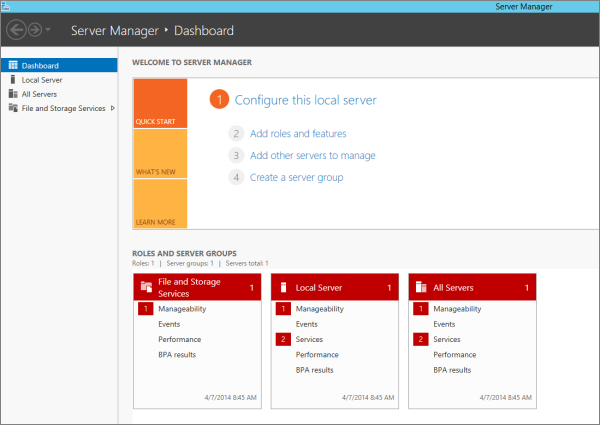
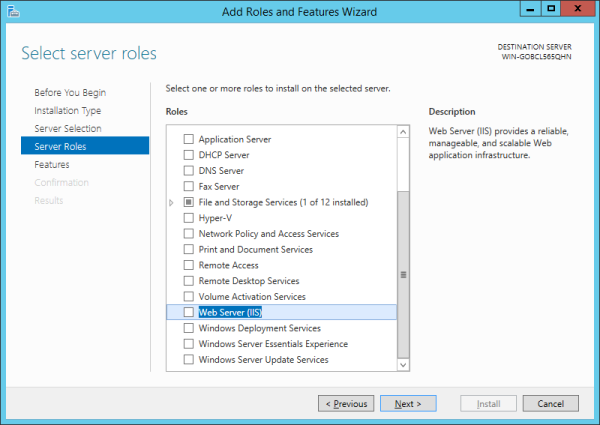
Open the Server Manager and add in the missing 'Role Services' for Web Server (IIS).
... and then run the neatComponents installer again.
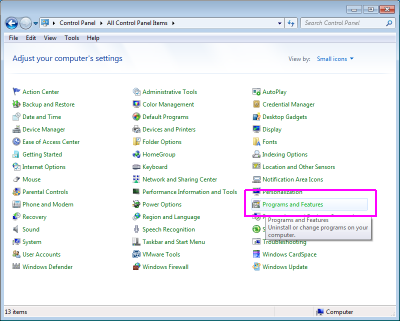
Open the Windows Control Panel, and select 'Programs and Features':
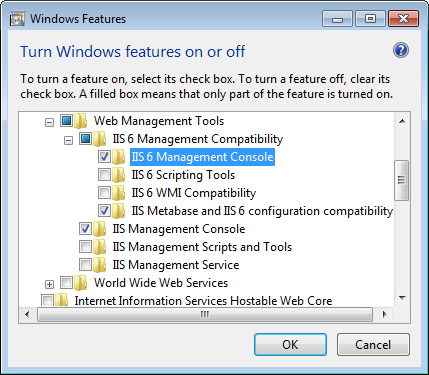
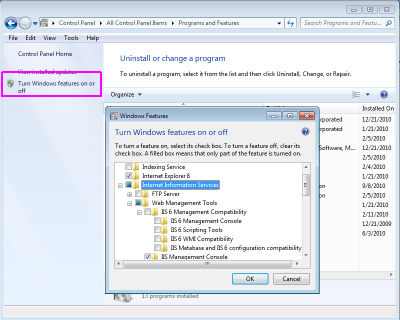
Select 'Turn Windows features on or off' from the left column, and in the dialog that opens select the Internet Information Services (IIS or Web Server) section:
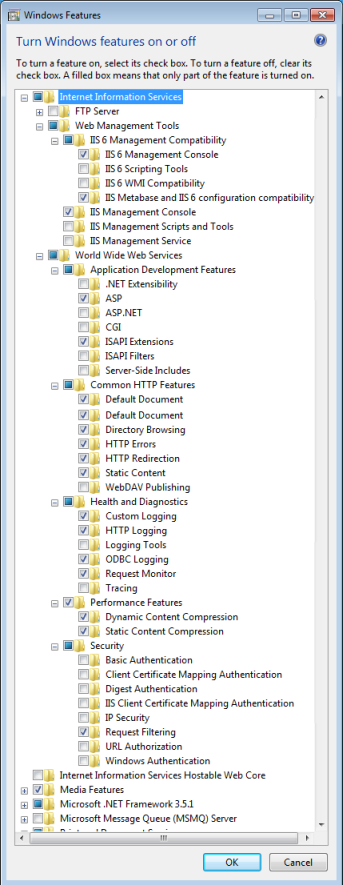
Expand the IIS section out, and select the options required by the installer. The example below is typical but the actual list you see may be different, depending on your current Windows configuration. You may notice that some options are selected automatically as you enable others - that is correct.
Click here to print a list of typical service adjustments.
... and then run the neatComponents installer again.
|
Copyright © 2026 Enstar Systems Inc. All rights reserved |
| | |