Dynamic IP AddressCommercial and larger scale web hosting is done on a dedicated server with a set (static or fixed) IP address, either located in your building, at a 'server farm' or in the Cloud.
Small scale hosting and testing
You can do small scale hosting for testing, development and proof-of-concept trials on any broadband (cable or A/DSL) connection even if it does not have a static or fixed IP address. A static IP address is needed to be able to assign an A-Record - so that the visitor can type the web address (URL) into their browser and get taken to your website.
Method
Most Internet cable and DSL connections can be provided with a fixed IP address by your ISP, but if your connection has a dynamic IP address - one which changes from time to time - then you need to use a service that will automatically follow your IP address as it changes. There are a number of these services - this example uses DynDNS who used to provide this free option. No-IP still provide a free service. There are several others.
They all work and are configured in a similar way.
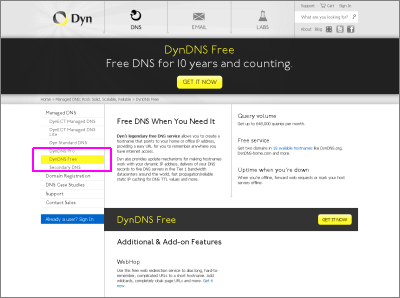
Select the 'DynDNS Free' option and enter the hostname of your choice - this is not a published hostname, it is only used for routing, so it simply needs to be unique, for example myneatone.dyndns.biz
And then follow the prompts to create your free account.
DynDNS also provide full paid-for accounts with more features.
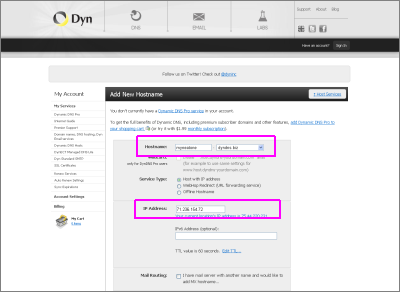
You then need to configure your new Host Service - Dynamic DNS Hosts so that it knows the public facing IP address of your router. If you are doing this from the same machine that you installed neatComponents onto then the dialog box will guess - otherwise you set it explicitly. Then follow the prompts to set the service active.
Updating DynDNS
Most routers have a feature that will automatically update a dynamic DNS service when your ISP changes your public facing IP address.
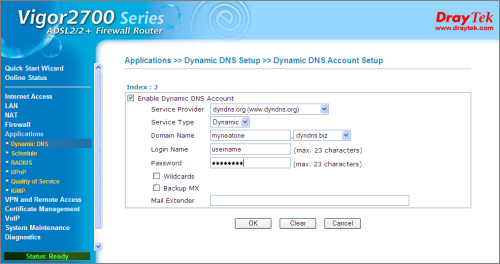
Your router/firewall may look different. This website provides advice on many different Router brands.
Set your A-Record
You can now return to your Domain Registrar's DNS Control Panel and adjust the CNAME (Alias) for 'www' to point to your DynDNS account.

Now when someone browses to your website at www.example.com the DNS knows that the IP address of your website is held at your DynDNS account. When your IP address changes, your Router will notify your DynDNS account and within a minute your account will be updated with the new IP address.
Your visitors are automatically directed to the correct location.
What can go wrong?
Latency.
As browsers cache domain name and IP address relationships, as your IP changes a returning visitor may have an old record and so not see the site. However, this method is intended only to enable you to do small scale hosting for testing, development and proof-of-concept trials. | 


